DIGIMESS

DIGIMESS

06DigimessShree Sai MessApr 2024 - May 2024
Scroll to explore

DigimessisacentralizedmessmanagementsystembuiltforShreeSaiMesstorunoperationsacrossmultiplecollegecampusesincludingAIIMSRaipurandIIMNagpur.Theproductcombinesafullwebcontrolpanelforadministratorsandcollege-levelteamswithamobileappforstudents,makingmealplanning,enrollment,consumptiontracking,feedback,andreportingpartofoneconnectedworkflow.

The challenge

Brief · 01

Shree Sai Mess was handling high-volume daily operations across multiple institutions, where each campus had different policies, student intake patterns, department structures, and meal demand behavior. Existing manual and semi-digital processes made it difficult to keep registration records clean, maintain role-based control, track meal transactions accurately, and generate cross-campus insights in real time. The system needed to support strict hierarchy, avoid data leakage between campuses, and remain easy enough for non-technical operators to run every day.
The solution

Brief · 02

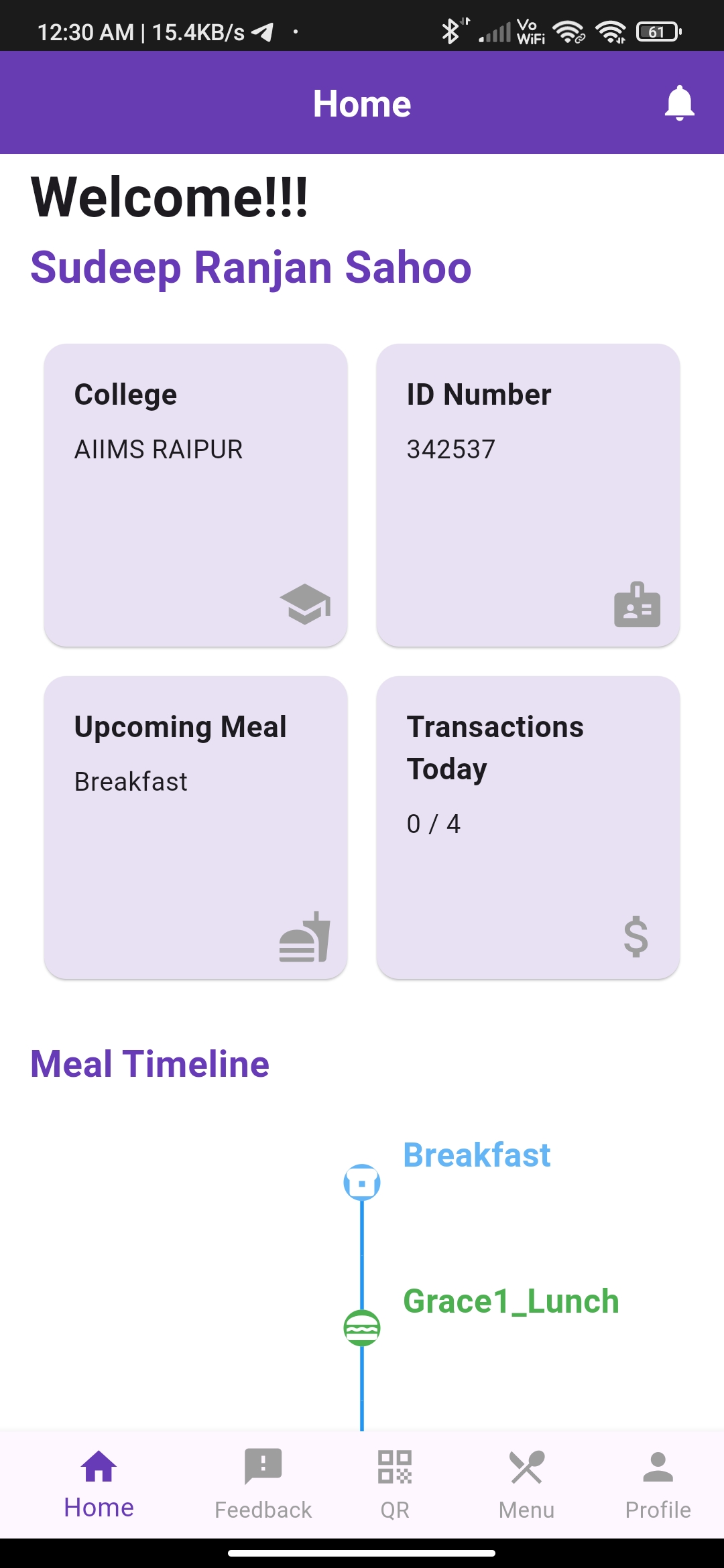
We designed Digimess as a role-aware multi-tenant platform with a clear operational hierarchy: manager-level access, college-level superadmin operations, and student-facing workflows. The web app handles institutional administration such as student registration, department mapping, history views, menu publishing, and filterable list/report workflows. The Flutter mobile app gives students a fast day-to-day interface for profile access, meal timeline visibility, menu browsing, and feedback submission. Node.js APIs and MongoDB power core data operations, while AWS-backed deployment supports availability and scalability for concurrent campus usage.

Milestones

From early concepts through validation and iteration.

  1. Mapped mess operations across campuses and defined role

    based workflow boundaries for managers, college superadmins, and students.

  2. Built the web platform for onboarding, registration control, student list operations, and menu management with searchable and export

    friendly interfaces.

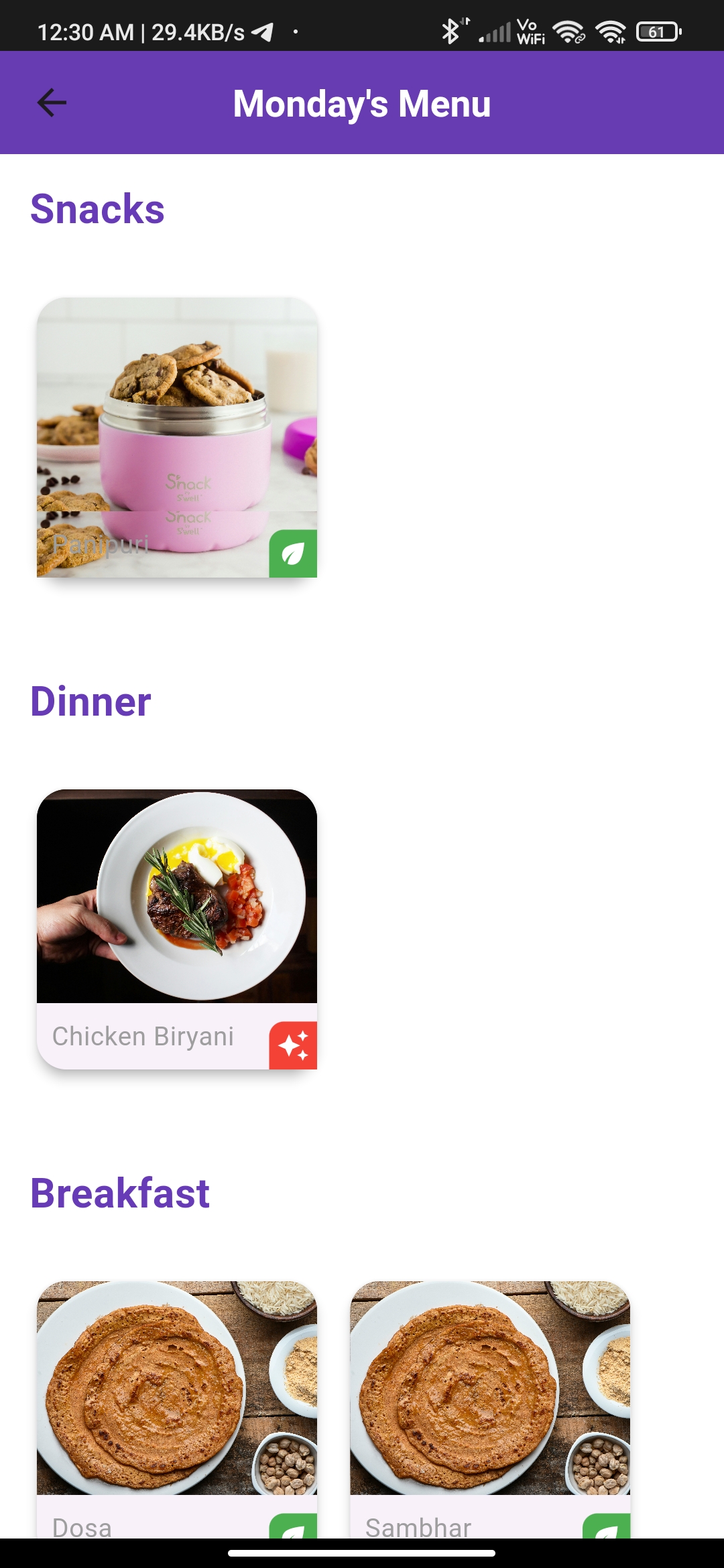
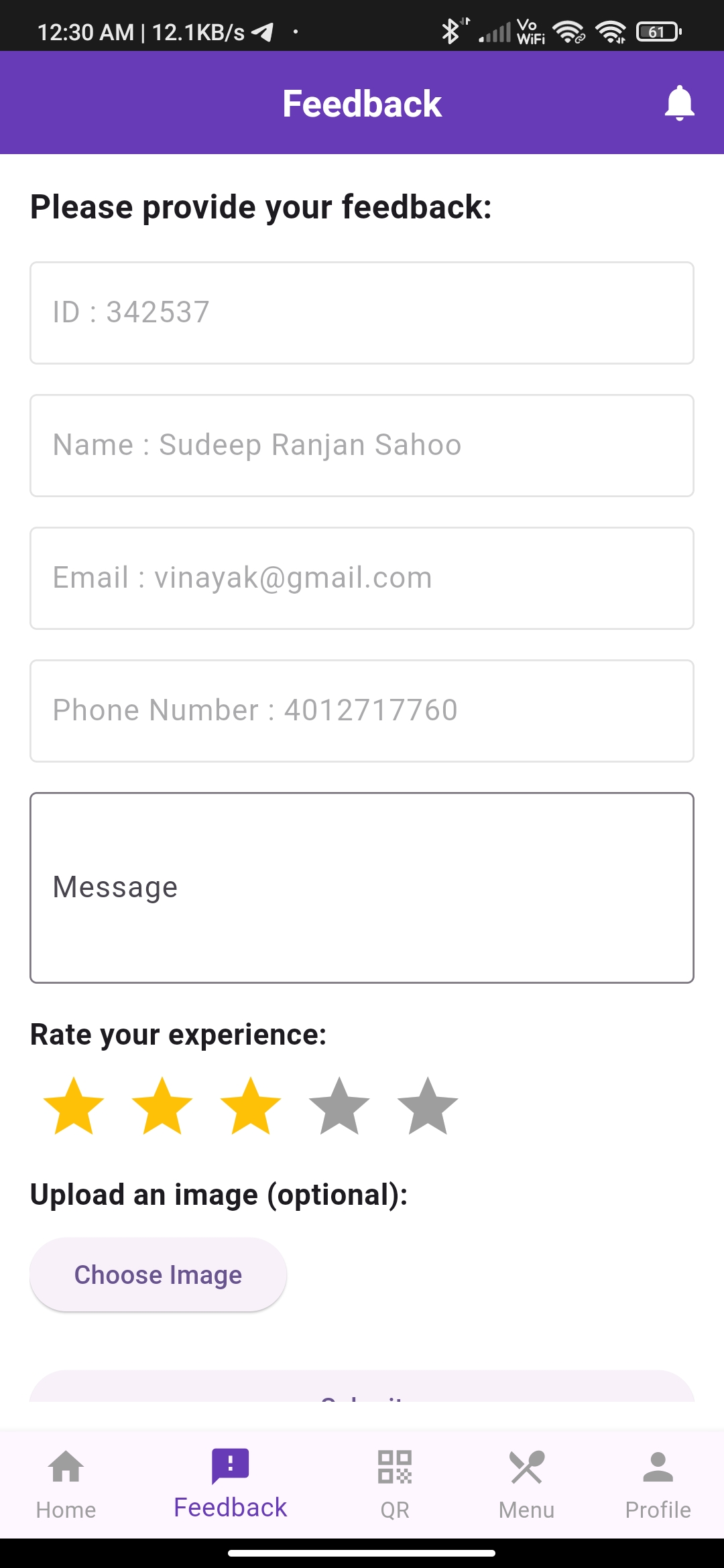
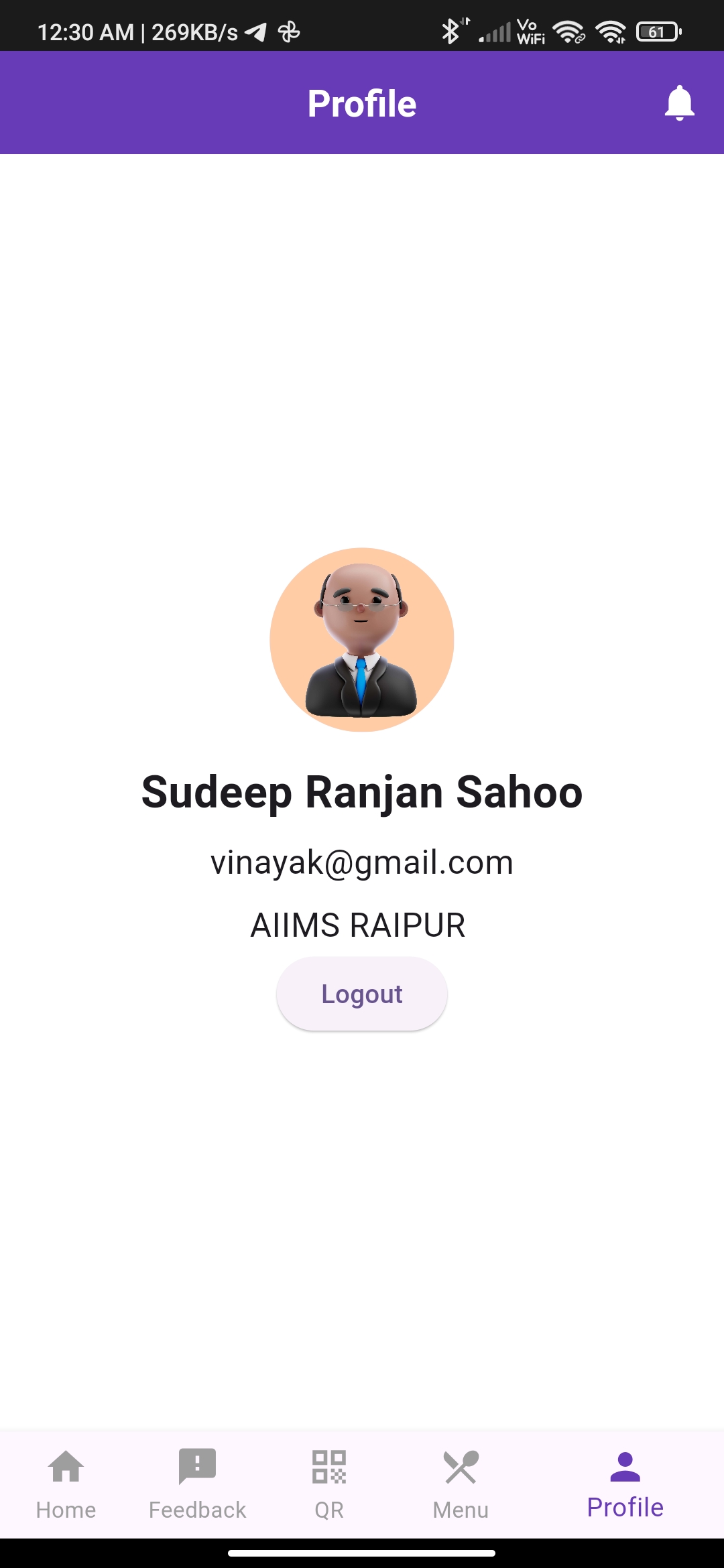
  3. Developed the Flutter mobile app for students to view meal timelines, profile details, menus, and submit structured feedback.

  4. Integrated data and access control layers to keep campus data segmented while allowing centralized administrative oversight.

  5. Prepared the system for real

    world deployment with stable dashboards, transactional tracking, and operator — ready UX flows.

03 / Outcomes

  • Unified mess operations into one digital system for multiple institutions under Shree Sai Mess.
  • Enabled a true multi-role hierarchy with manager, college-level superadmin, and student-specific capabilities.
  • Reduced manual mess coordination overhead through structured registration, menu, and student data workflows.
  • Improved meal visibility and engagement through student mobile access to menu, timeline, and feedback modules.
  • Established a scalable foundation for onboarding additional campuses with controlled access and repeatable operations.

Client / Partner

S

Shree Sai Mess

Hospitality · Campus Operations

A multi-campus mess operator running daily food services across institutions including AIIMS Raipur and IIM Nagpur. Digimess was built to digitise their entire enrollment, menu and consumption workflow.

By the Numbers

Impact at a glance

01

2+

Campuses Live

Operating across AIIMS Raipur and IIM Nagpur on day one.

02

3

Role Tiers

Manager, college-level superadmin, and student — strictly scoped.

03

2

Surfaces

Web operations console and Flutter student mobile app, sharing one backend.

04

60d

Build Sprint

Apr 2024 – May 2024 from architecture to multi-campus launch.

Stakeholders

Everyone on one channel

01

Mess Manager

Top-level access — runs operations across all campuses Shree Sai Mess serves.

02

College Superadmin

Manages institution-specific student lists, departments, menus and reports.

03

Student

Uses the Flutter app for daily meals, menu, profile and feedback.

04

Institution

Tenant entity — keeps its data segmented while leveraging shared infrastructure.

Core Capabilities

What it does

01 / Feature

Multi-Tenant Hierarchy

Strict role boundaries keep each campus' data clean while letting managers oversee everything.

02 / Feature

Web Operations Console

Registration, student list, menu, history and report workflows — built for non-technical operators.

03 / Feature

Flutter Student App

Profile, meal timeline, menu and feedback — fast and offline-tolerant for daily use.

04 / Feature

Filterable Records

Hierarchy-aware filtering by department and academic year for clean exports.

05 / Feature

Menu Publishing

Day-based meal catalogue with veg / non-veg classification students can read at a glance.

06 / Feature

Feedback Loop

Structured feedback with rating and image input strengthens quality control between students and operators.

The Workflow

Step by step

  1. 01

    Campus Onboarding

    Manager creates the institution tenant and sets up departments, menus and superadmins.

  2. 02

    Student Registration

    Students enrol via the web portal or CSV-assisted bulk import.

  3. 03

    Menu Goes Live

    College superadmin publishes the day's menu — students see it instantly in the mobile app.

  4. 04

    Daily Operations

    Students view meal timelines, submit feedback and check transactions on the go.

  5. 05

    Reporting

    Managers and superadmins export filtered reports for finance and compliance.

See it in action

Work in detail

Web Student Dashboard
01 // Exhibit

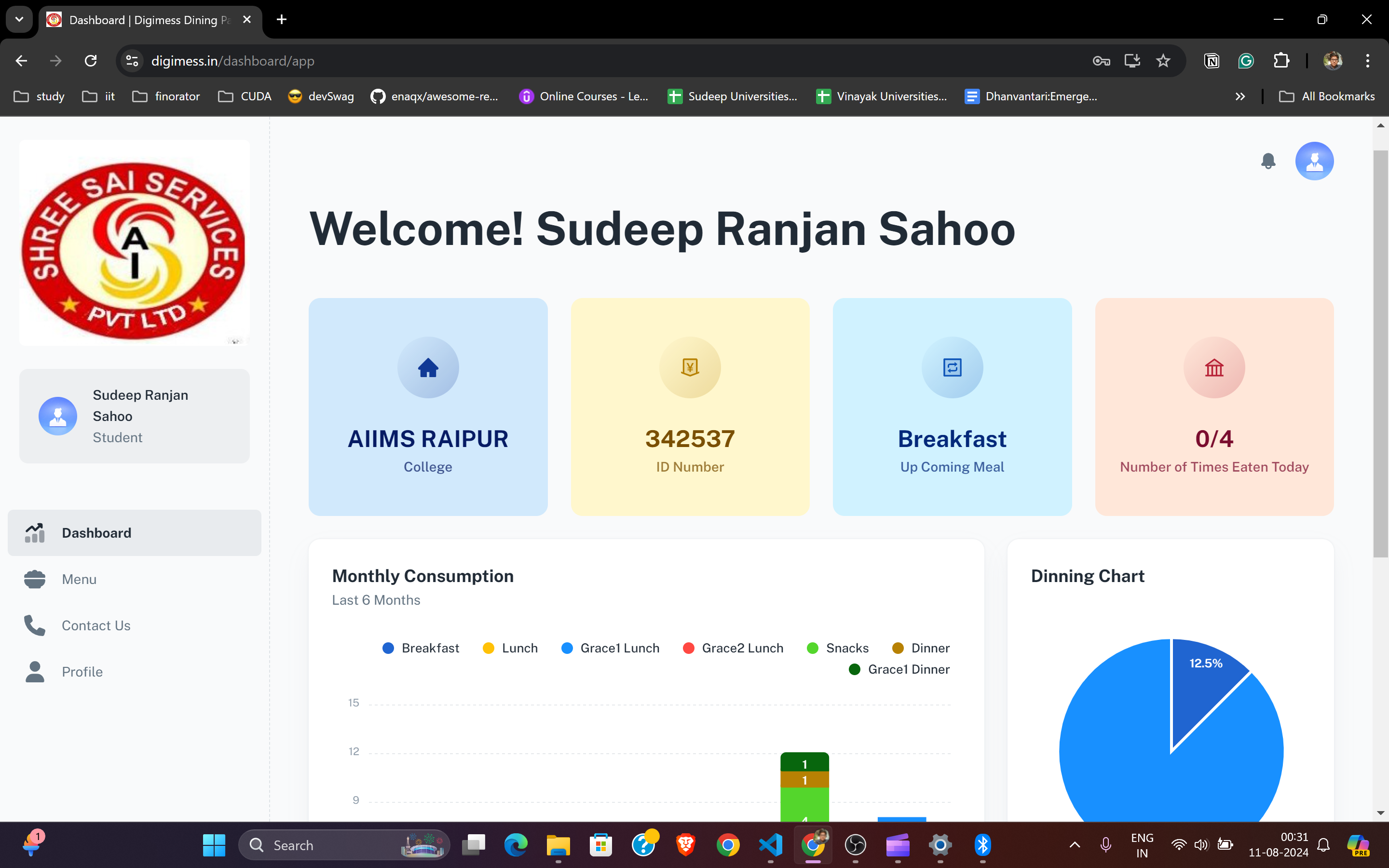
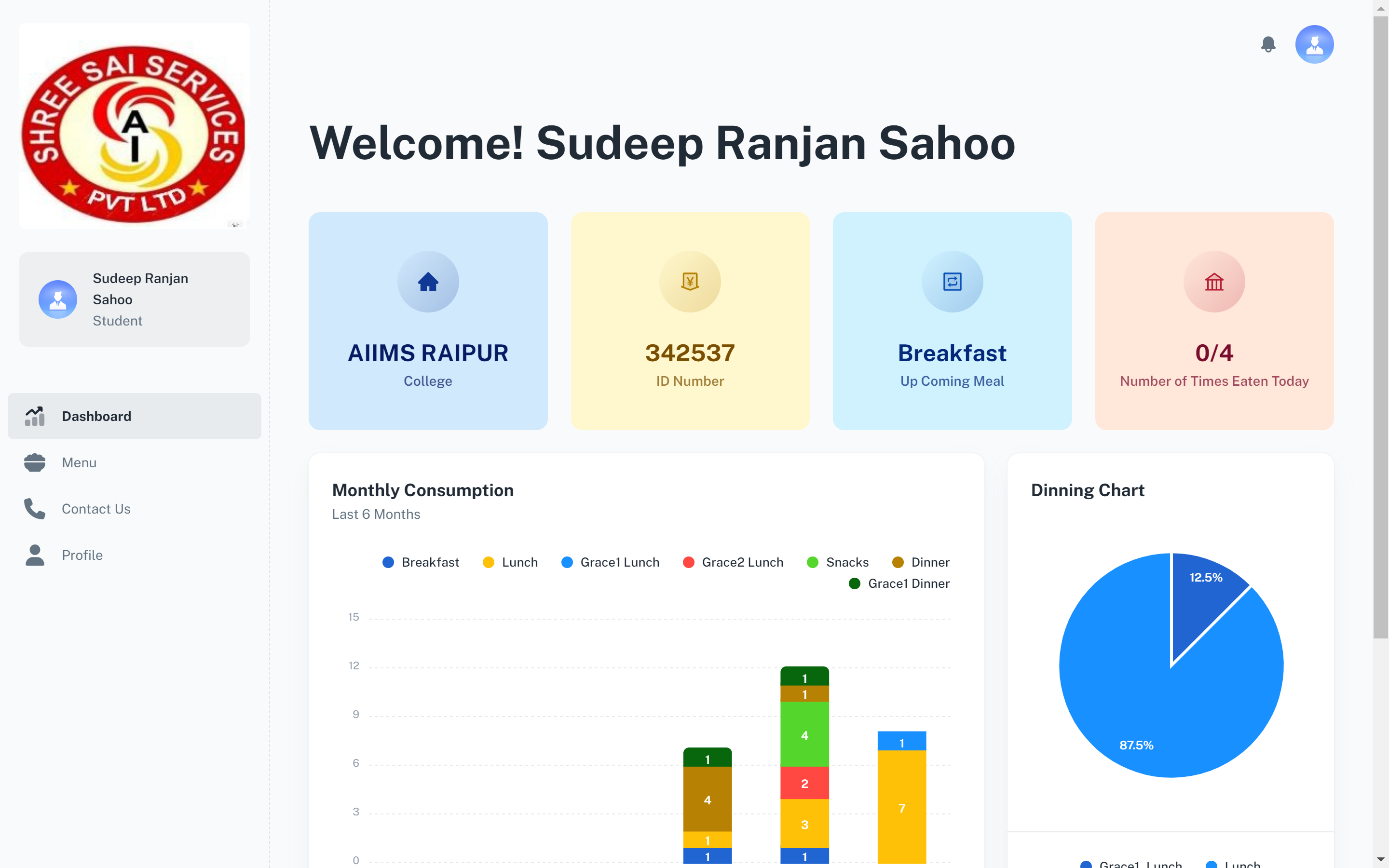
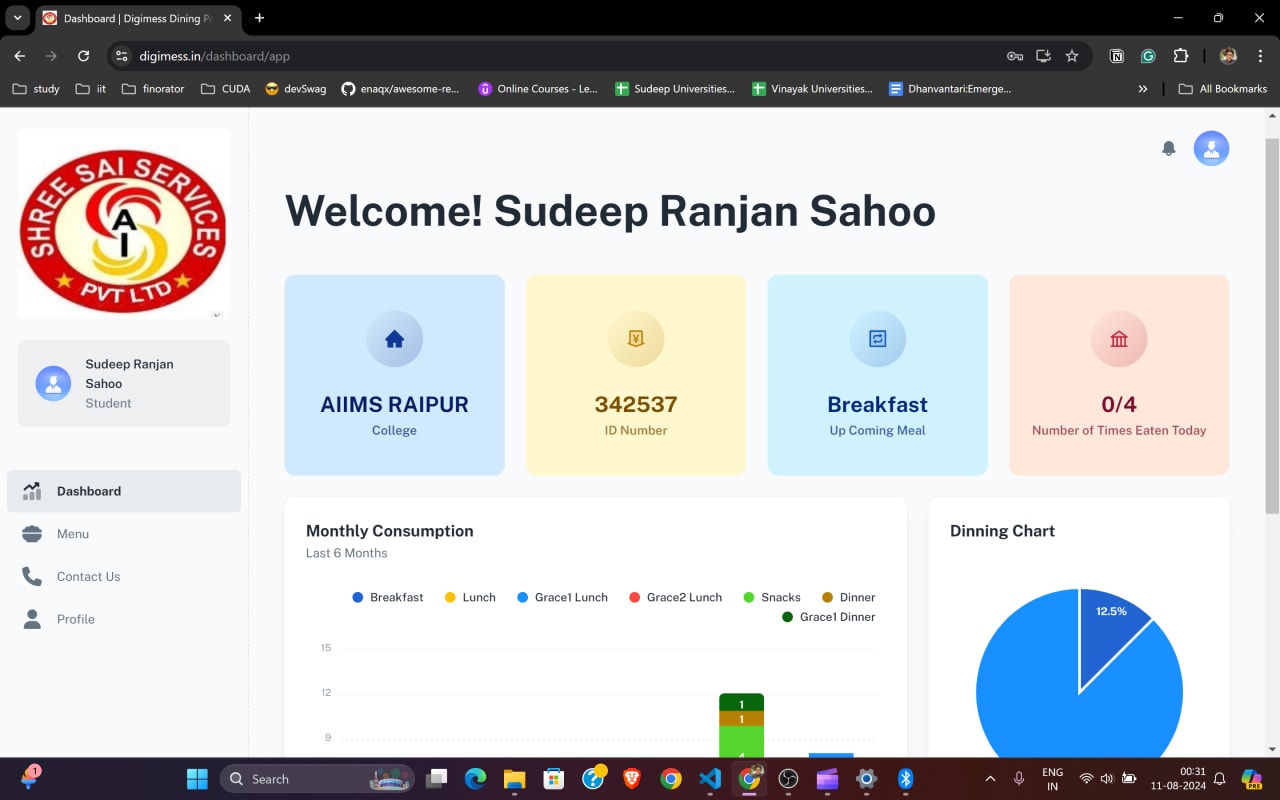
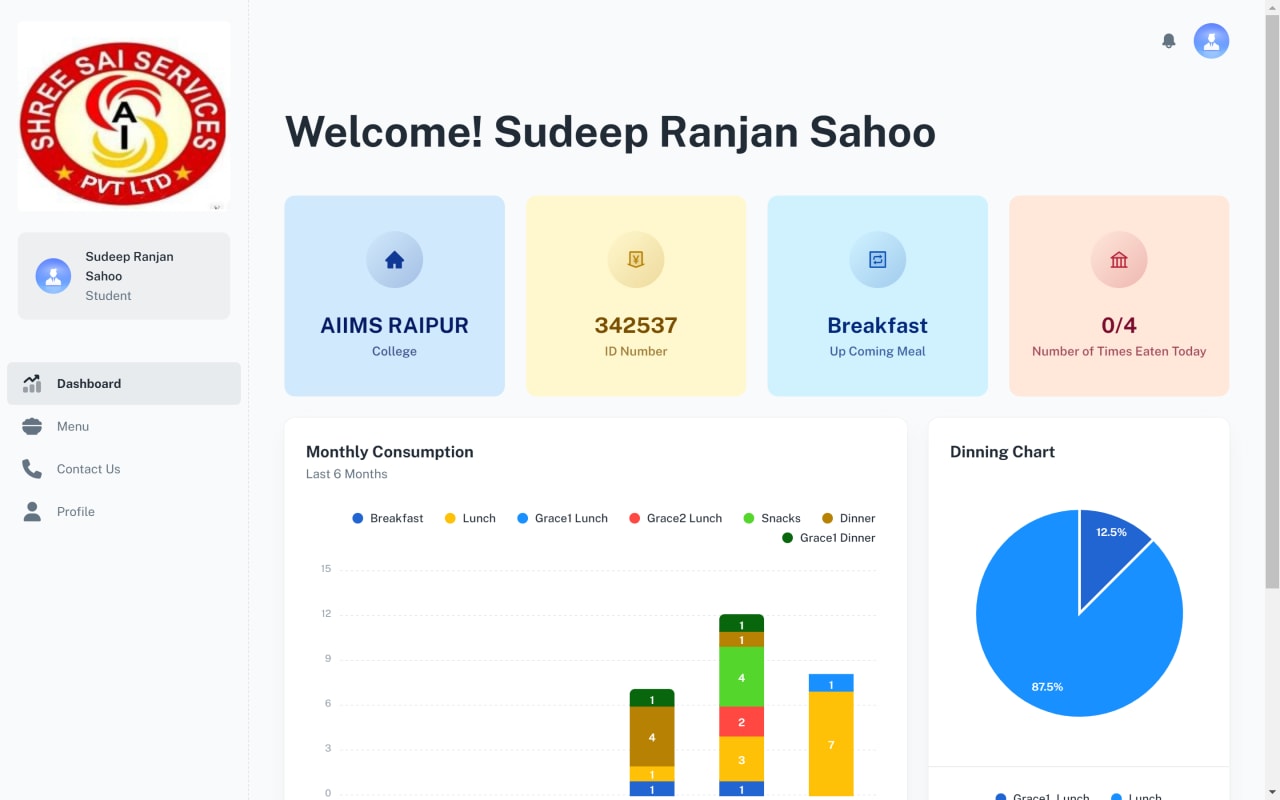
Web Student Dashboard

Campus-specific dashboard view with live student context, meal summary cards, and consumption analytics widgets.

02 // Exhibit

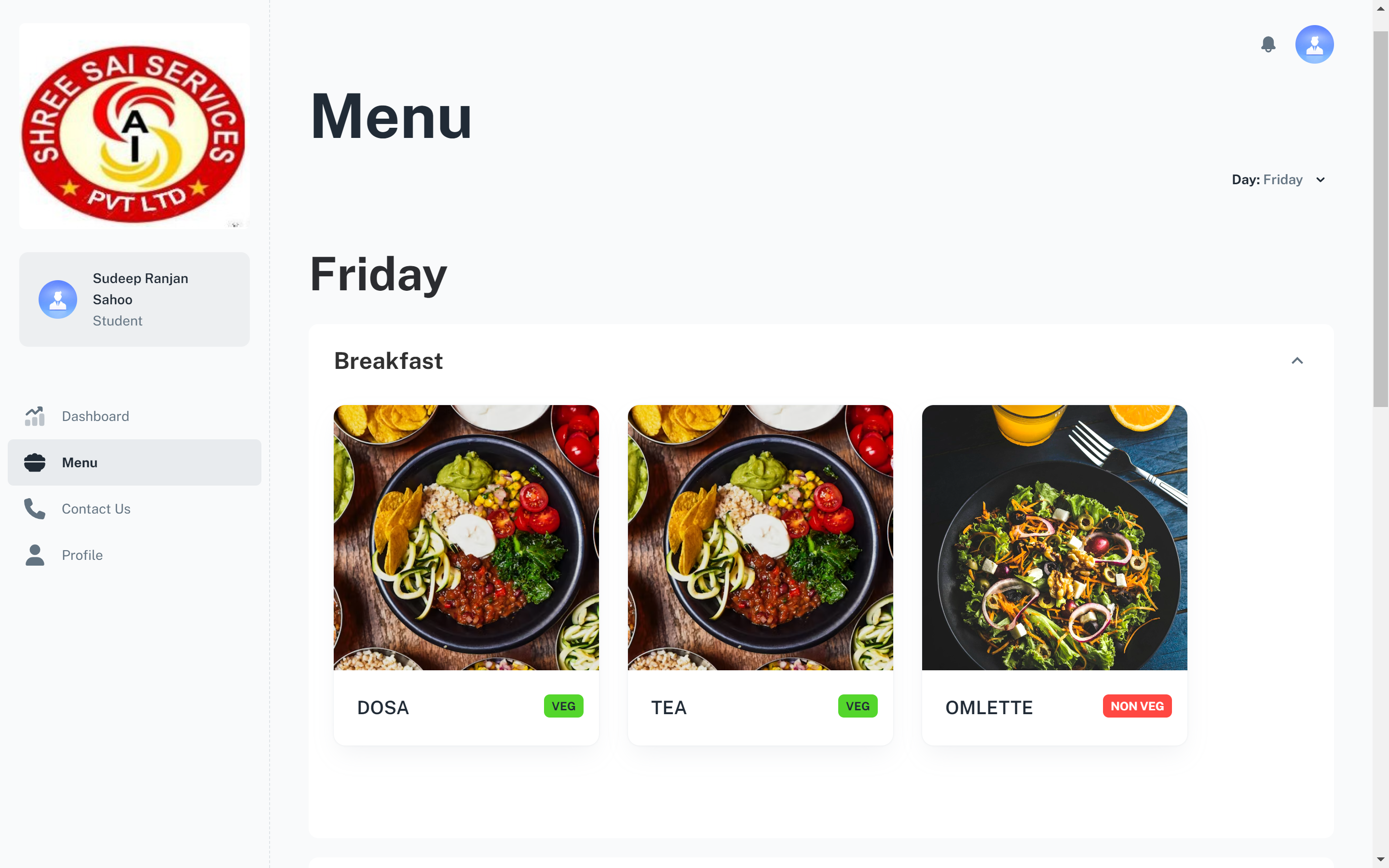
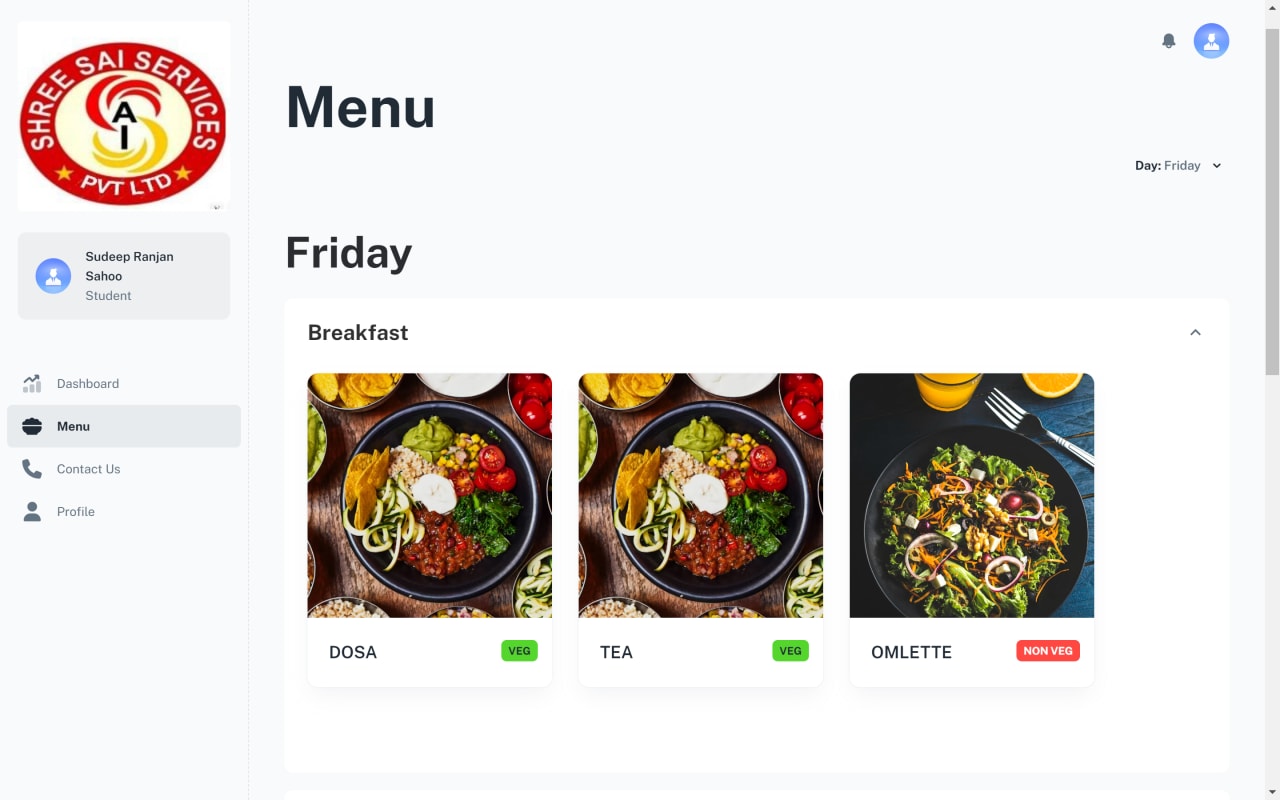
Web Menu Management

Meal catalog presentation with day-based structure and clear veg/non-veg classification for student clarity.

Web Menu Management
03 // Exhibit

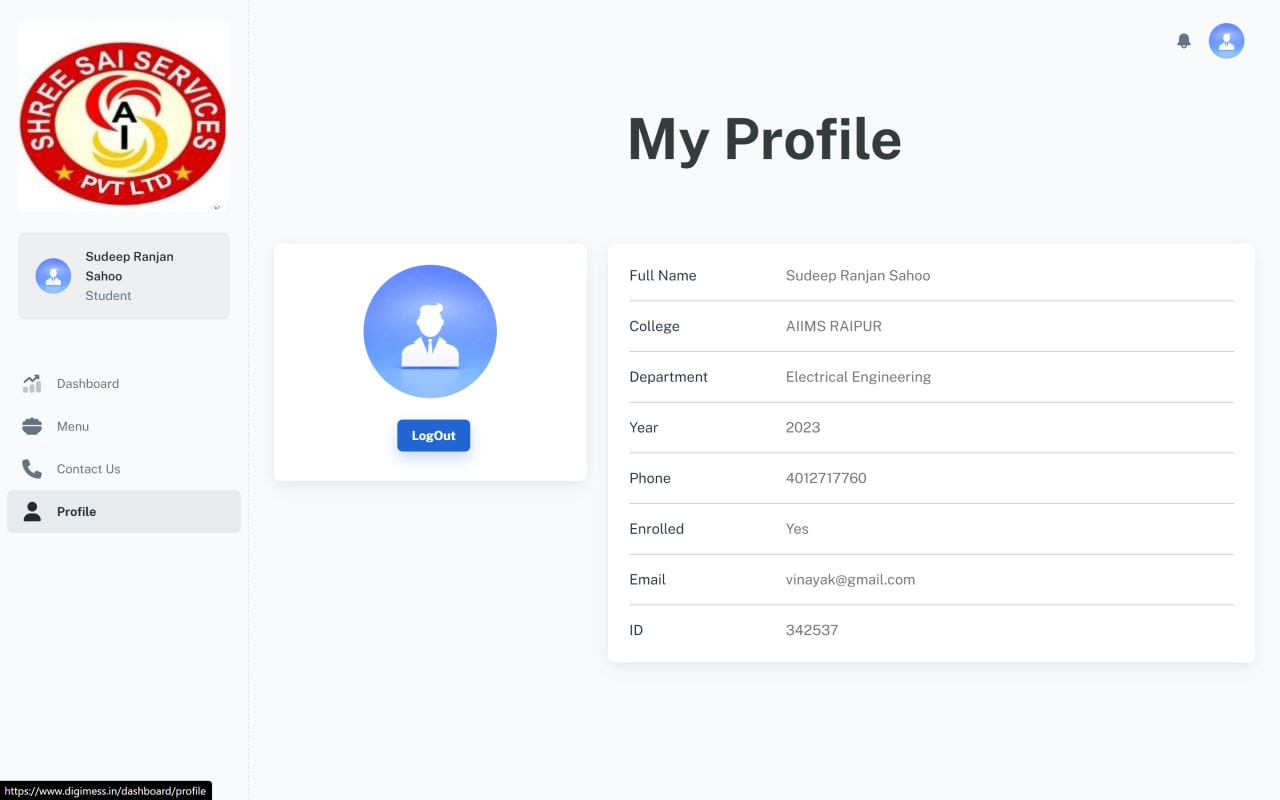
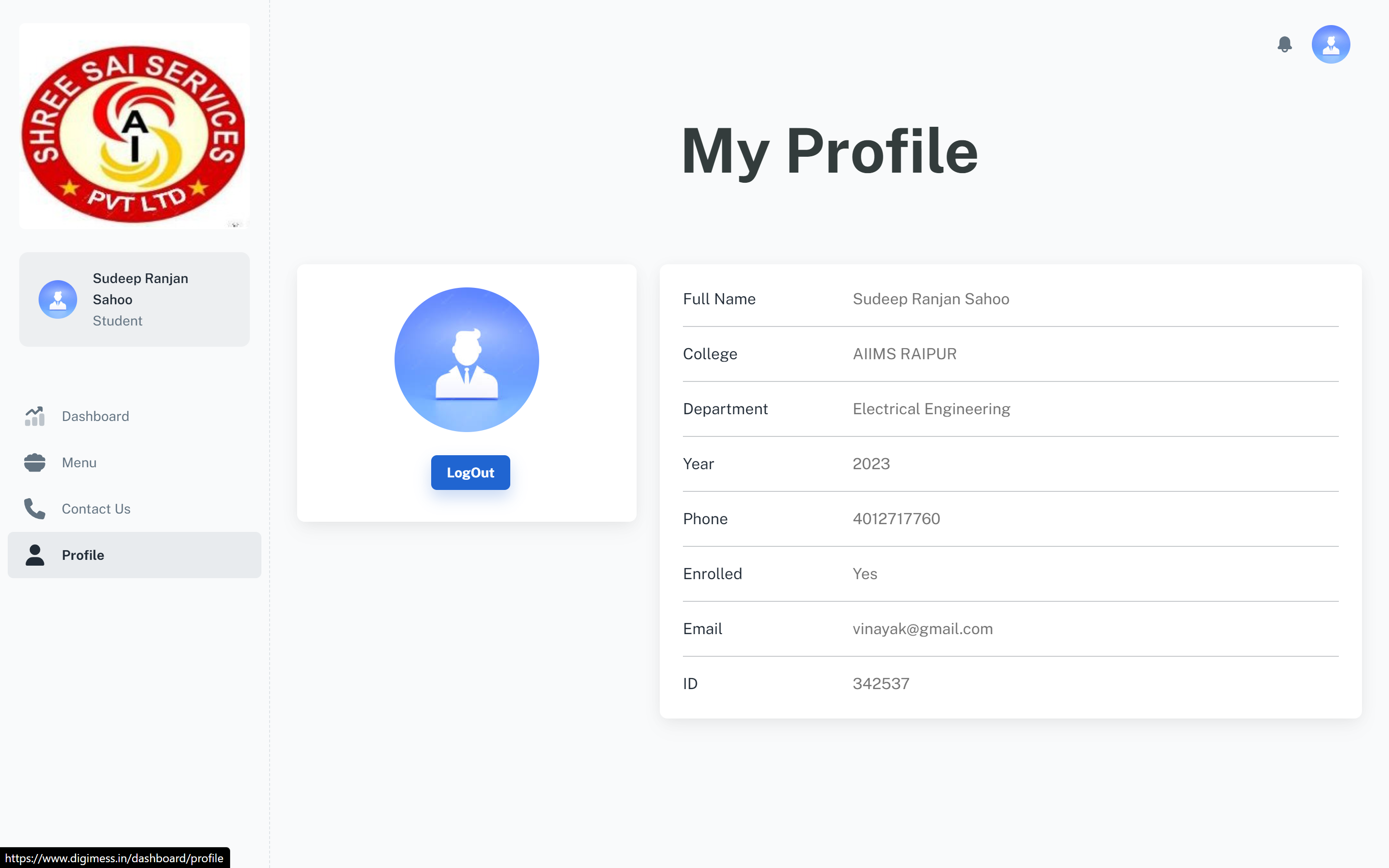
Web Profile Module

Student profile management panel with institutional identity details, enrollment metadata, and account controls.

Web Profile Module
04 // Exhibit

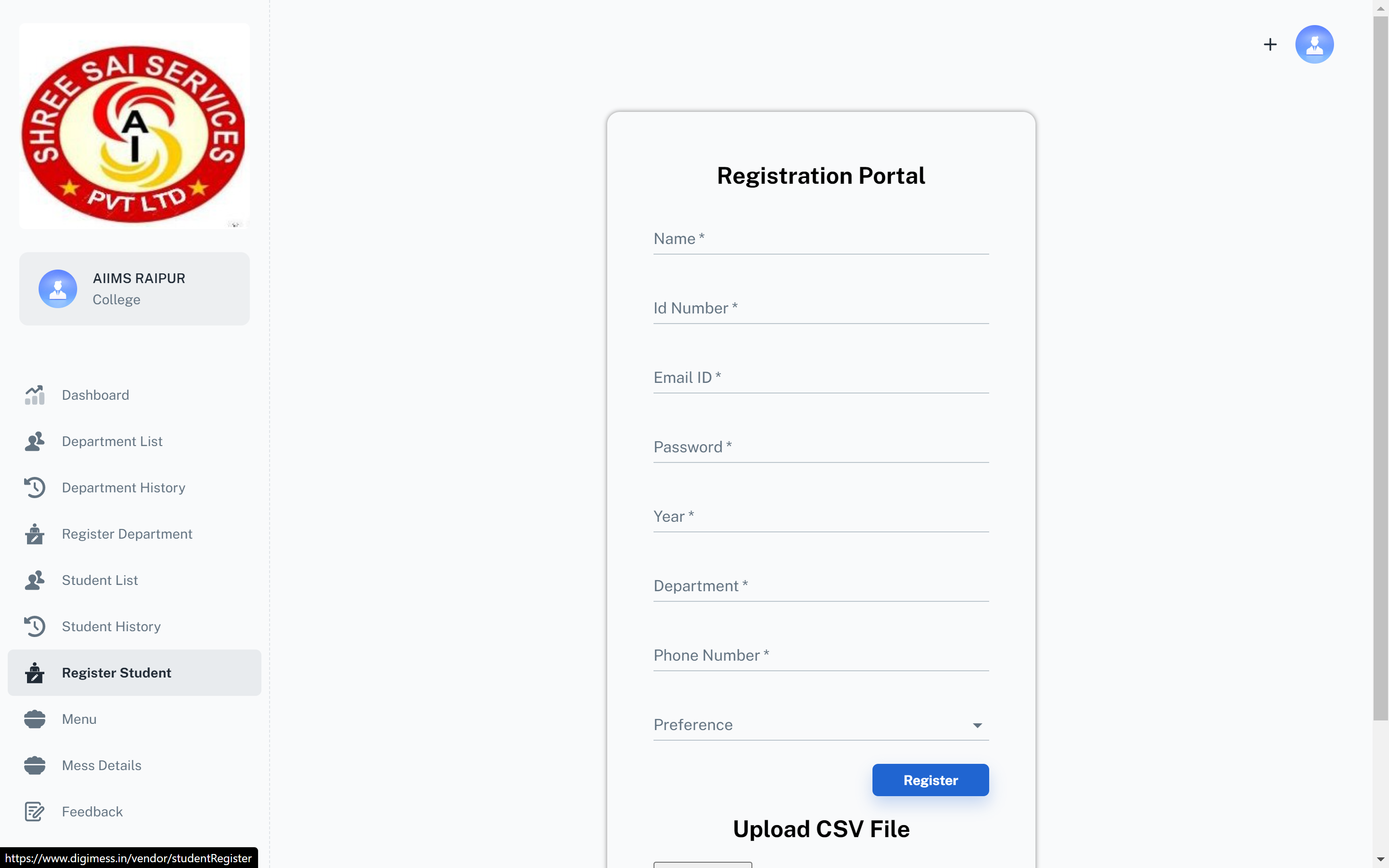
Registration Portal

Structured onboarding form for new users with department, year, preference, and CSV-assisted administration workflows.

Registration Portal
05 // Exhibit

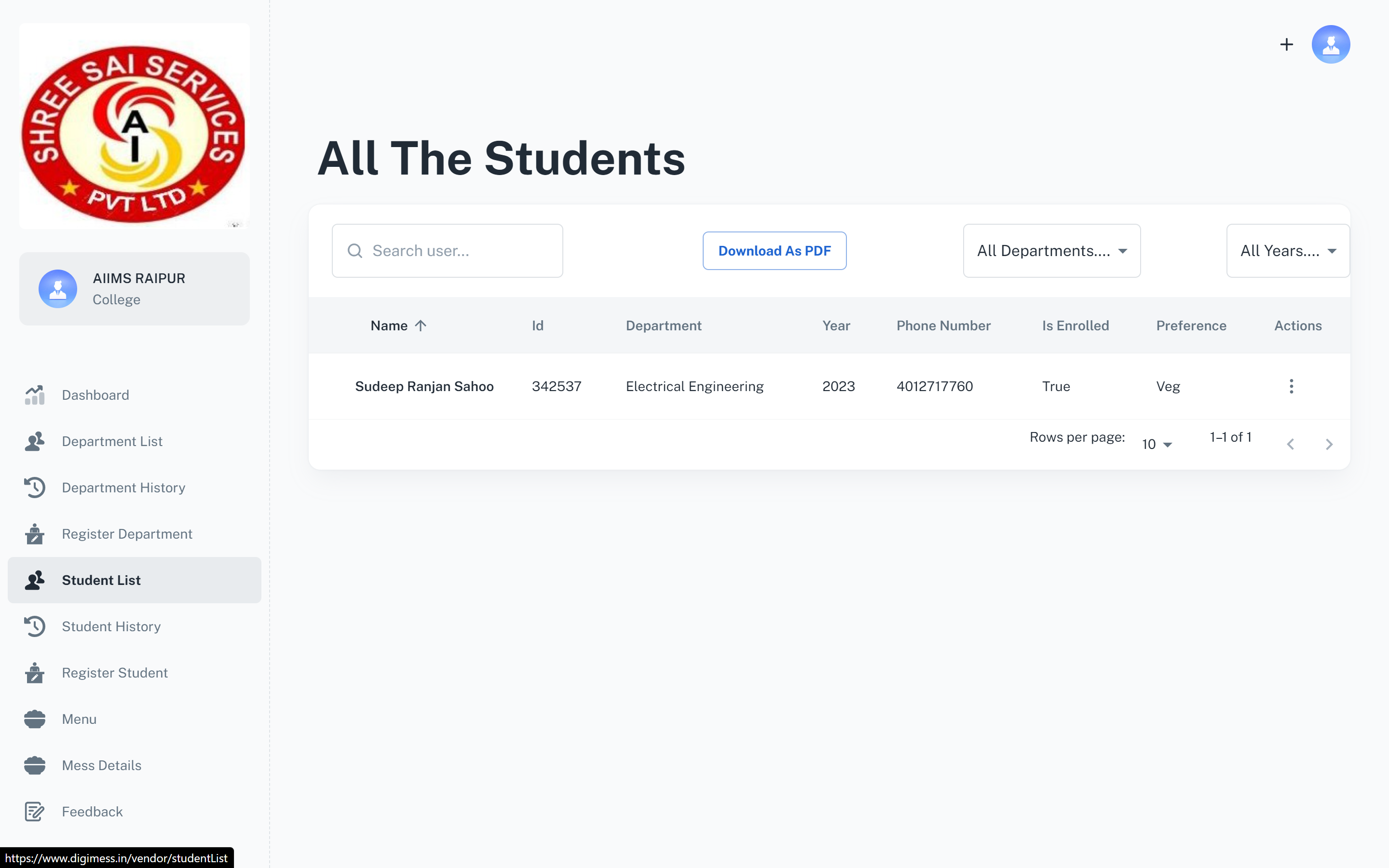
Admin Student List

Operational list view for administrators with search, filtering, and report export actions for campus-level records.

Admin Student List
Hierarchy-Aware Filters
06 // Exhibit

Hierarchy-Aware Filters

Role-scoped filtering by department and year to help superadmins and managers review segmented student data quickly.

07 // Exhibit

Mobile Home

Student home experience in Flutter showing college context, ID, upcoming meal, transaction counters, and meal timeline.

Mobile Home
08 // Exhibit

Mobile Menu

Mobile meal explorer with section-wise display and item-level dietary tagging for daily consumption decisions.

Mobile Menu
09 // Exhibit

Mobile Feedback

Feedback capture flow with message, rating, and optional image input to strengthen quality loops between students and operators.

Mobile Feedback
010 // Exhibit

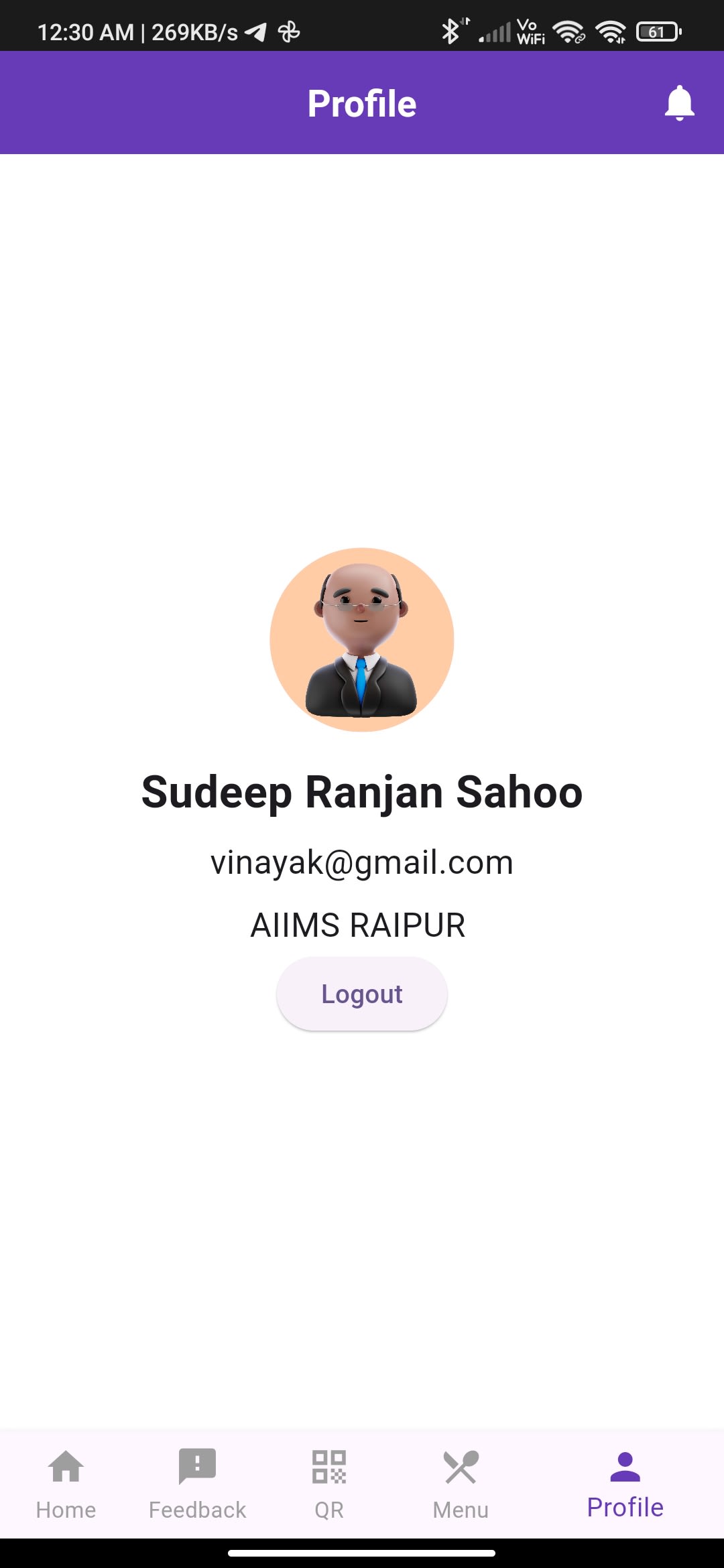
Mobile Profile

Profile screen for quick account verification and self-service visibility into user identity details.

Mobile Profile

A closer look

Web Student Dashboard
Web Menu Management
Web Profile Module
Registration Portal
Admin Student List
Hierarchy-Aware Filters
Mobile Home
Mobile Menu
Mobile Feedback
Mobile Profile

Next in the archive

XShell

XSHELL